
Desktop
Explore VoLCA on your own machine
Create an account and download the VoLCA desktop app. Run the VoLCA engine on your own machine, load your data locally, and inspect activities, inventories, supply chains, and impacts without setting up server infrastructure.
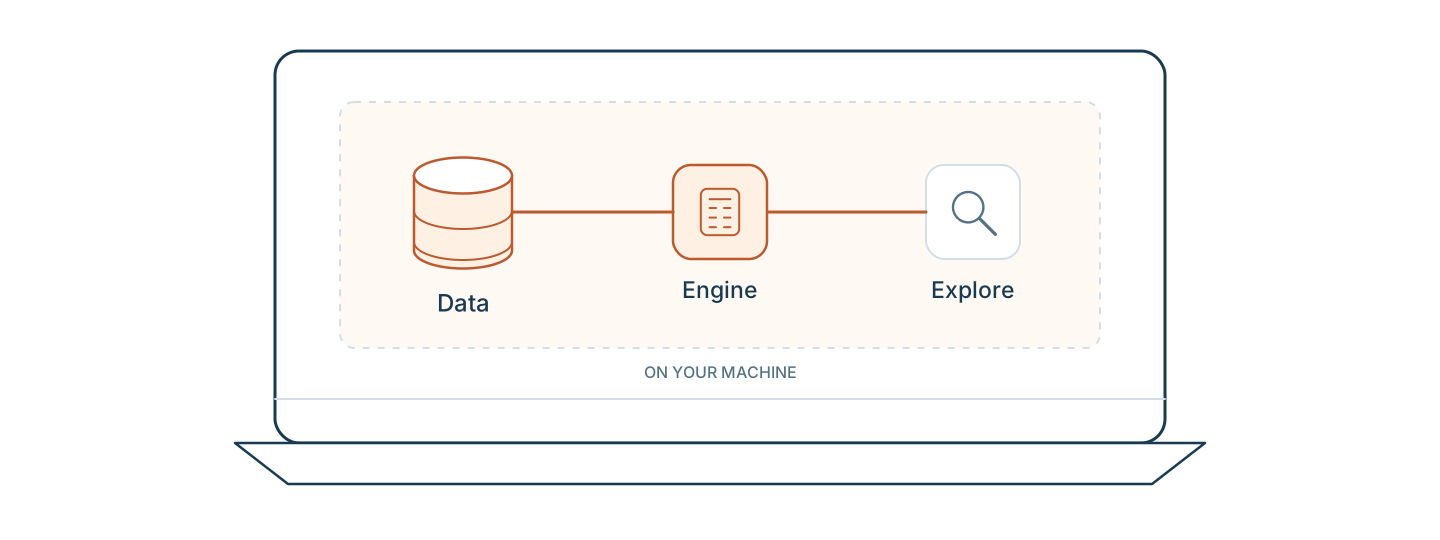
How it works
1. Create your account
Sign up at volca.run. Your account gives you access to both the hosted product and the desktop download.
2. Download the app
After signing up, download the VoLCA desktop app for your operating system: Windows, macOS, or Linux.
3. Start exploring
Open the app, load your data or use a preloaded database, and start inspecting, searching, and exploring.
A real local Agribalyse workflow
These captures come from the current Linux desktop package running the VoLCA 0.9.1 engine locally with Agribalyse 3.2 loaded from the machine.
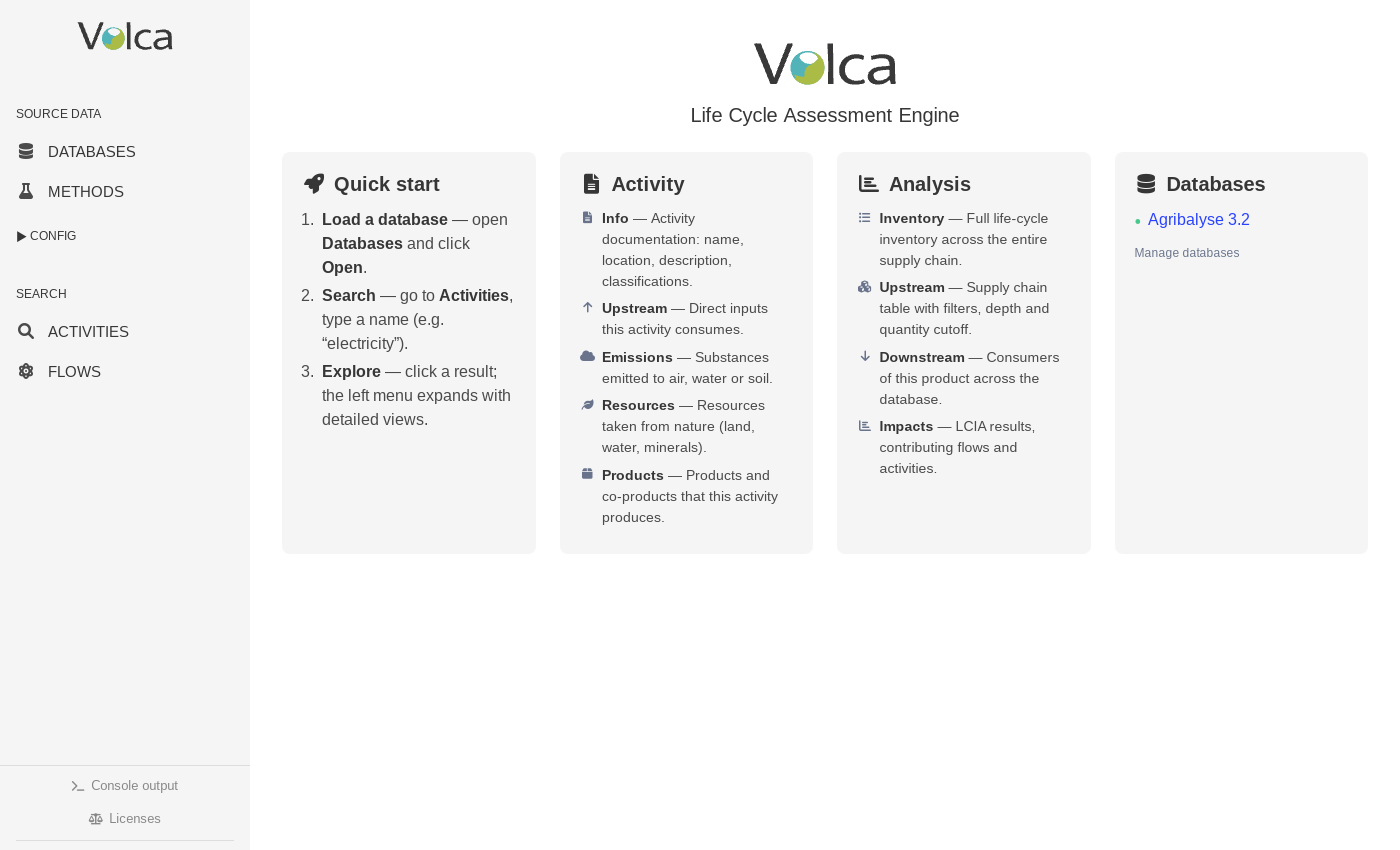
1. Local workspace
Load a database on your machine
The local engine is ready with Agribalyse 3.2. Databases, methods, activities, and flows remain accessible from the same desktop workspace.
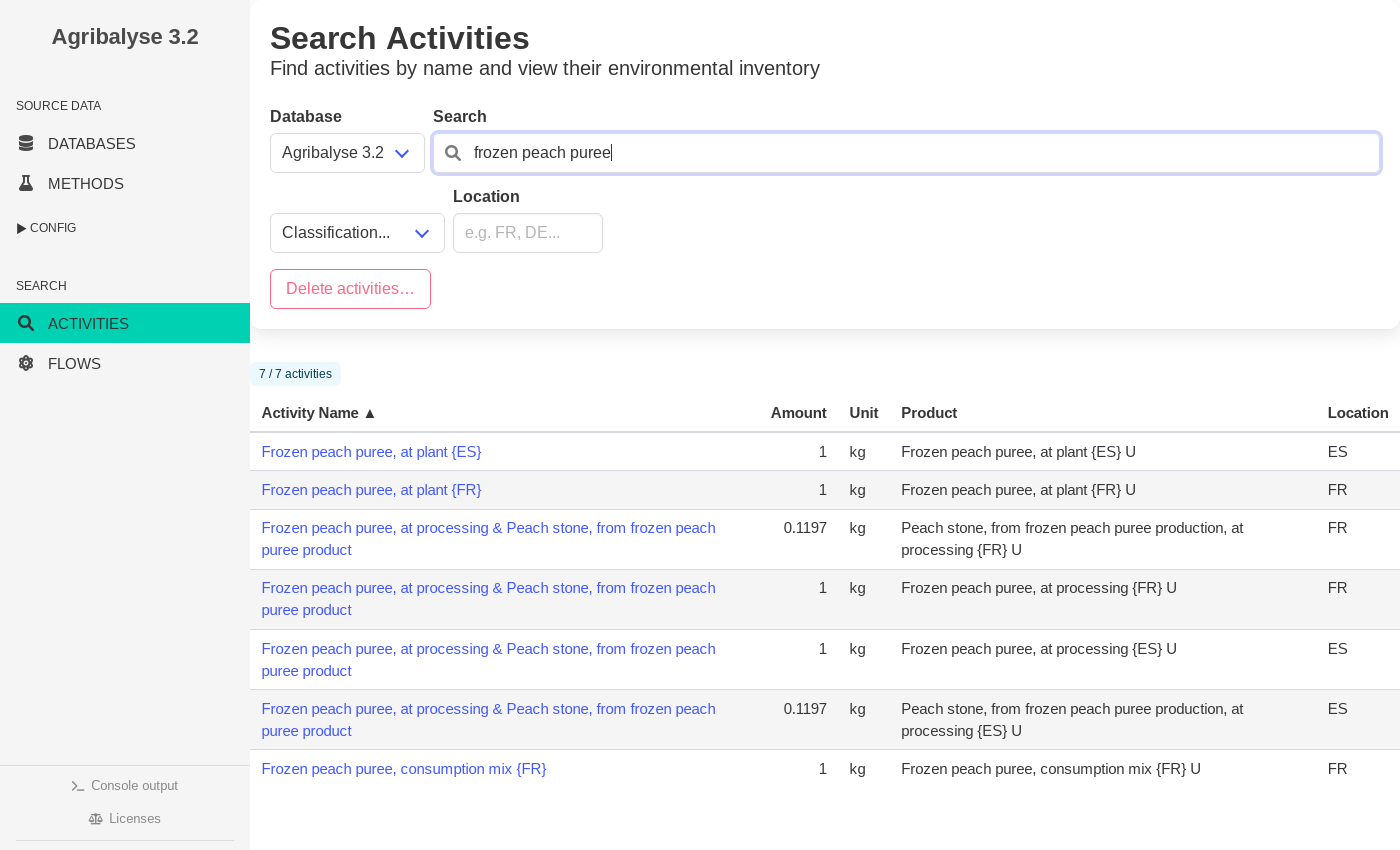
2. Search
Search real activity records
Search the locally loaded database, compare products, units, and locations, then open the exact process you want to inspect.
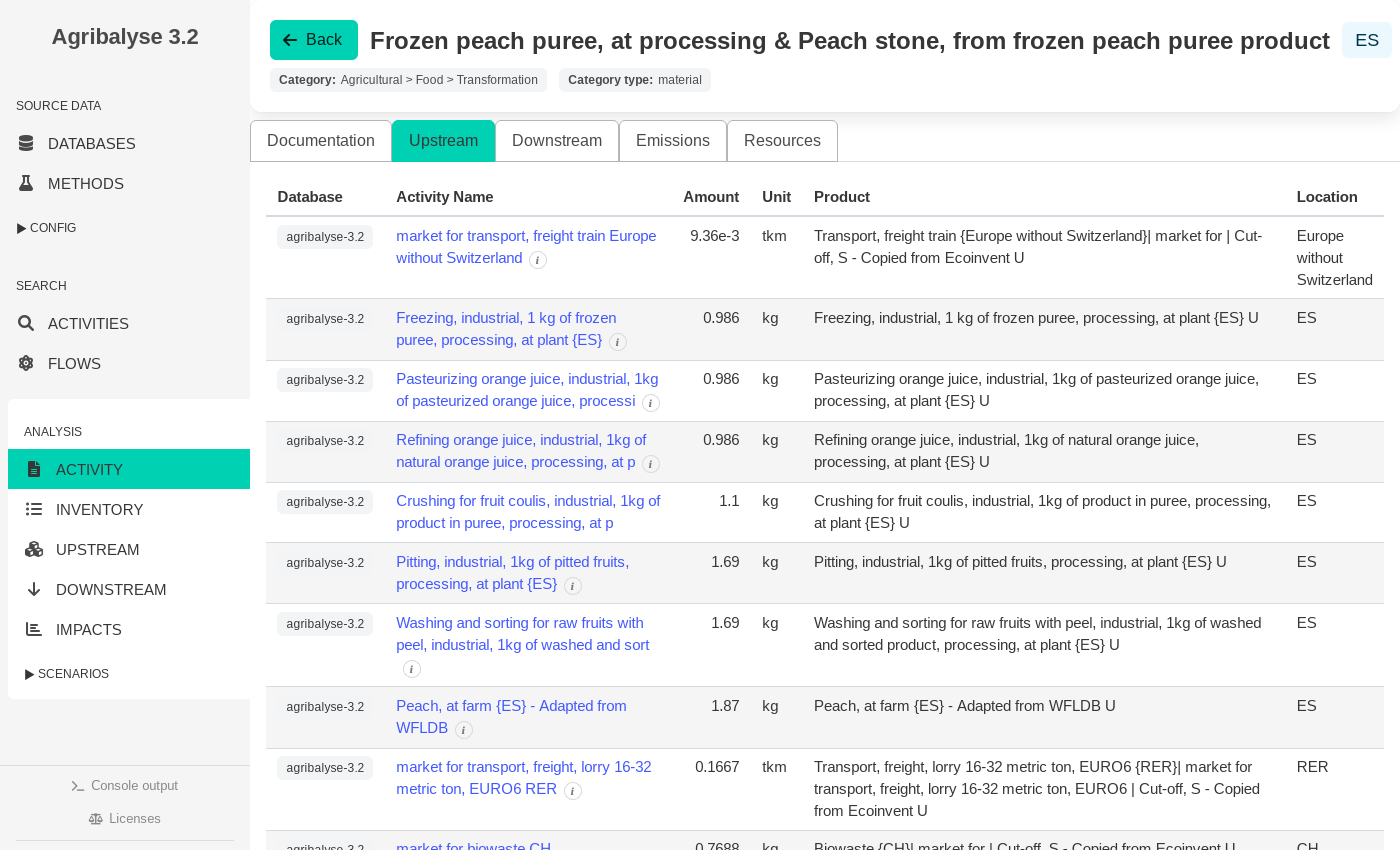
3. Inspection
Inspect the process behind the product
Open the selected record and inspect its direct upstream exchanges before moving to the full inventory, supply chain, or impact results.
Data stays under your control
The engine and interface run locally. VoLCA Desktop does not bundle licensed LCA databases: you load datasets you are entitled to use, subject to their own licence and distribution terms.
Sign up to get started
Creating an account is the first step. You will be able to download the desktop app immediately after signing up.