
Product
One engine for inspecting, scoring, and integrating LCA data
VoLCA lets you search and trace LCA data, compute and explain results, compare or edit datasets, and integrate the same engine into other workflows. Use it through the hosted web UI, desktop app, HTTP API, Python, CLI, REPL, MCP, or your own deployment.
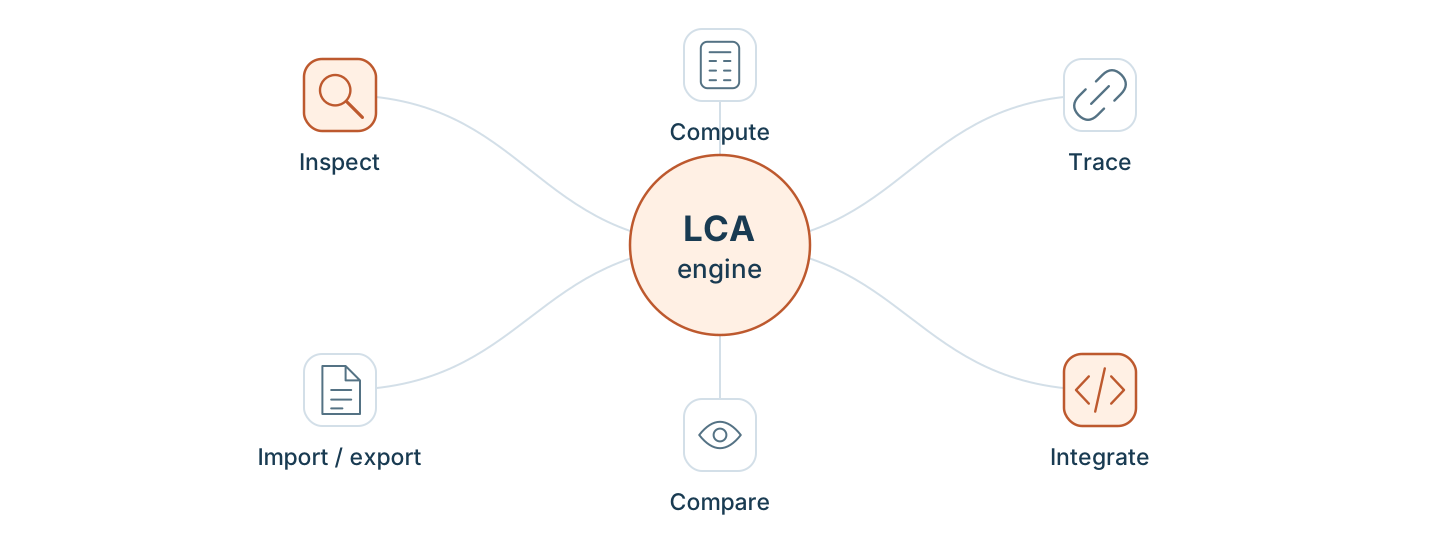
01 / Understand the data
Explore
Find an activity. Follow its inputs. See what sits behind the result.
Move from search to direct exchanges, supply chains, and inventories without exporting the whole database first.
Follow the Agribalyse walkthrough →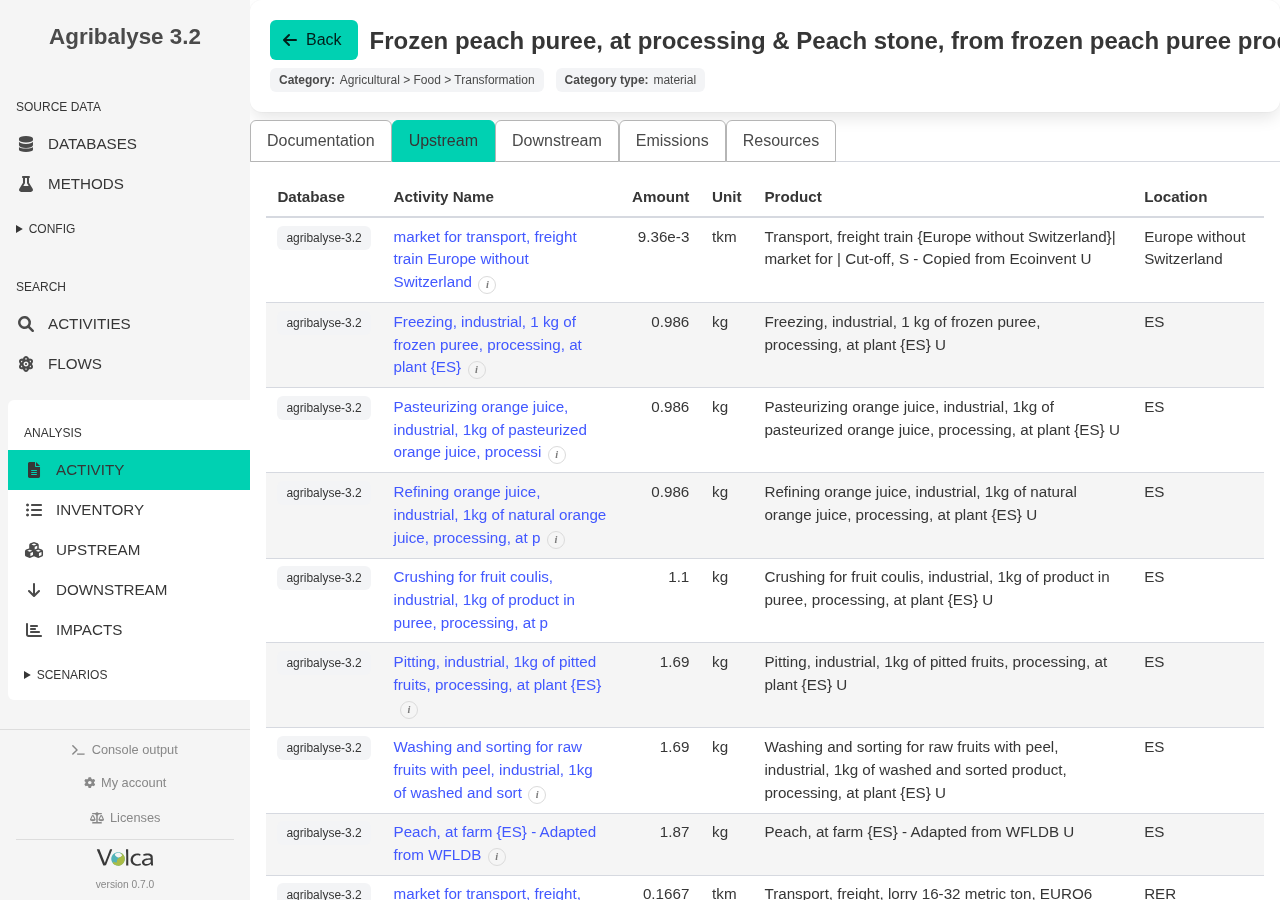
Search and browse
- Search activities, products, and elementary flows with geography and classification filters.
- See match counts, then open exchanges, reference products, and flow usage.
- Navigate several loaded databases without exporting everything first.
Trace relationships
- Move upstream through supply-chain trees, flat graphs, and contribution graphs.
- Follow downstream consumers to see where an activity or flow is used.
- Find shortest paths between a result and an upstream activity.
02 / Get an inspectable result
Compute
Turn an inventory into impacts, then investigate what contributes.
Choose a method, inspect category scores, and check characterization coverage before relying on the result.
Understand flow-mapping checks →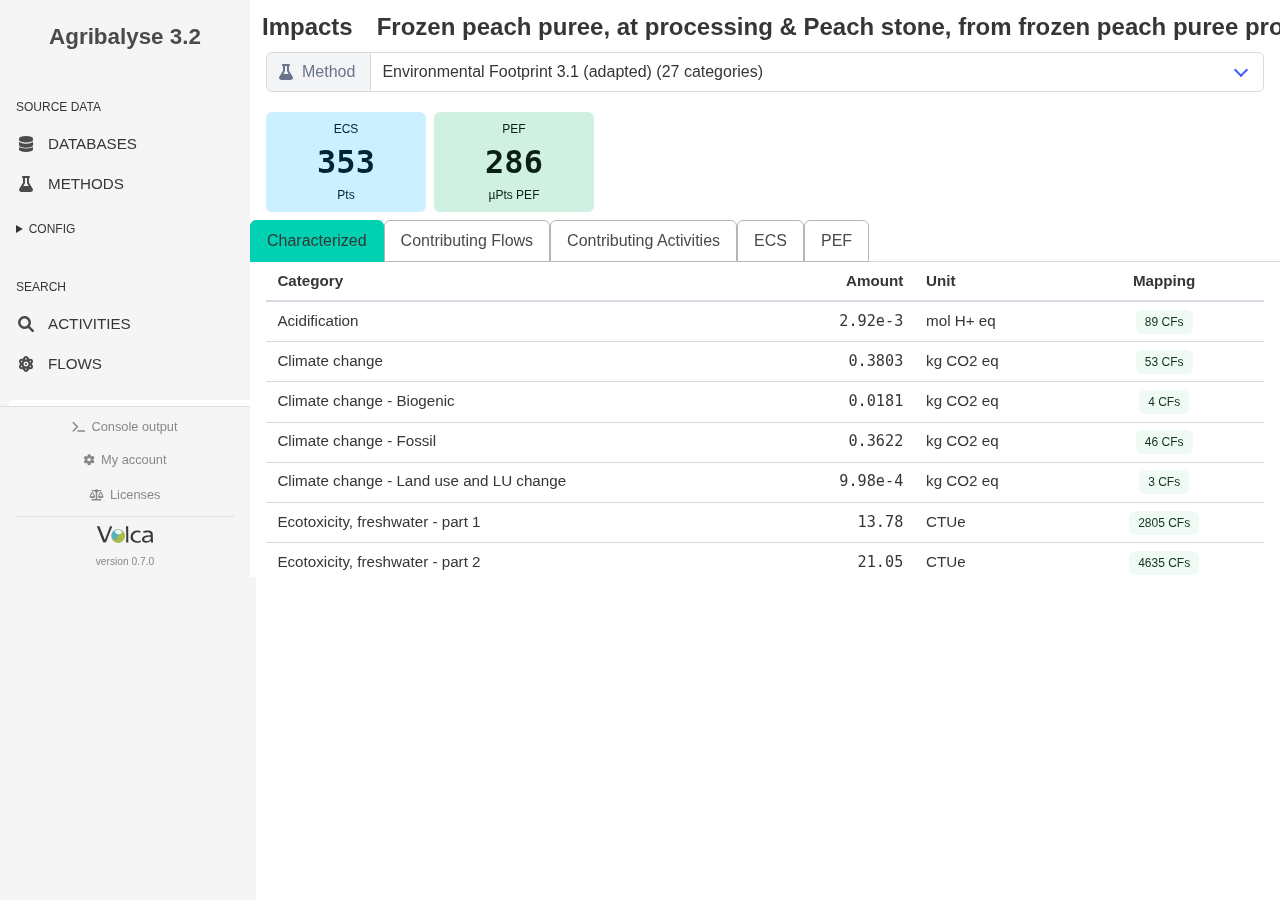
Compute and investigate
- Compute an inventory, one LCIA method, or the complete configured impact and scoring panel.
- Rank activity sets with batch scoring.
- Find hotspots by elementary flow or upstream activity.
- Group results across exchanges and supply chains, then test sensitivity to relative changes.
Check data quality
- Review supplier gaps, dataset soundness checks, and characterization coverage.
- Inspect method factors and explain why a flow receives a characterization factor.
- Read the Flow Mapping Audit guide →
03 / Test what changes
Compare & adapt
Review database changes. Explore alternatives with traceable assumptions.
Compare database versions to inspect structural differences. For scenario calculations, use substitution-aware endpoints to test alternative inputs.
Try the substitution example →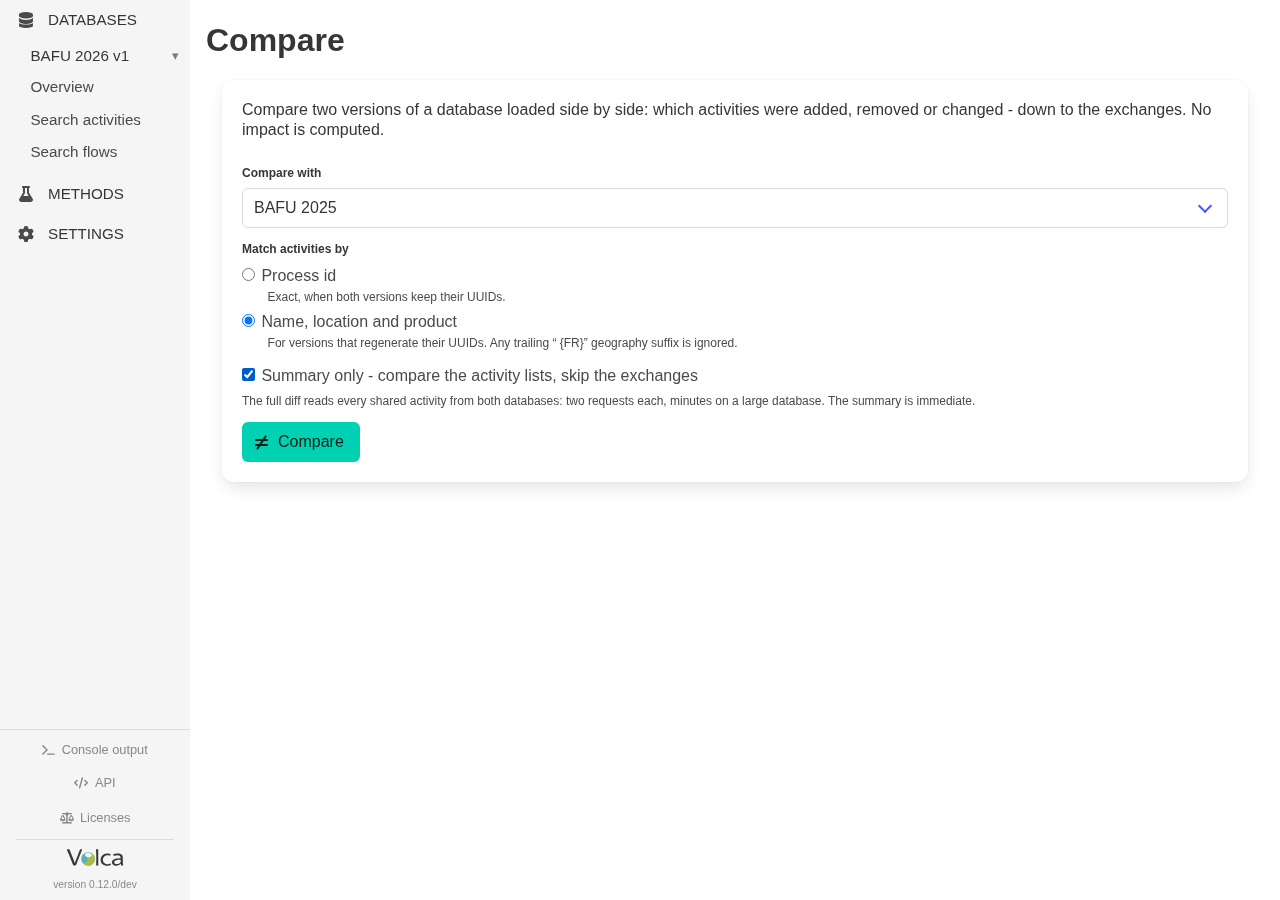
Compare and adapt
- Compare two activities exchange by exchange, or compare complete database versions.
- Patch activity metadata and exchanges for controlled scenarios.
- Derive a database under another allocation key, copy it, or relink its suppliers.
Operate and integrate
- Upload, load, unload, export, and delete databases as part of a repeatable workflow.
- Manage method collections and mapping resources through the same service.
- Use hosted, desktop, or self-hosted paths from the same engine.
Choose your interface
Start with the way you work. Check the documentation for the operations available through each interface.
- Inspect interactively
- Hosted web UI for browser access, or Desktop app for local exploration.
- Integrate and automate
- HTTP API with a self-describing OpenAPI reference, Python client for notebooks and scripts, plus CLI and REPL for terminal workflows.
- Ask an assistant
- MCP tools expose the same search, graph, computation, quality, and editing capabilities to compatible AI assistants.
- Control data and hosting
- Self-hosted engine for your infrastructure; own database import for custom, internal, or licensed data.
What to check for your workflow
Evaluate VoLCA with a real dataset and a question you need to answer.
Data compatibility
Check supported import formats, resolved supplier links, and characterization coverage for your database and methods.
Review import compatibility →Result validation
Review assumptions, reference amounts, units, and regional factors. Compare with reference results under the same conditions before drawing conclusions.
See a reference comparison →Workflow fit
Check access to the interfaces and operations you need, where the engine runs, and the data licensing terms that apply to your intended use.
Review licensed-data boundaries →Not sure where to start?
Start with the question you need to answer, or try your first browser inspection.