
Use case
Inspect and quickly compute impacts on Agribalyse
Use VoLCA's web UI to search Agribalyse, open records directly, follow upstream and downstream links, inspect inventories, and compute impacts without leaving the workflow.
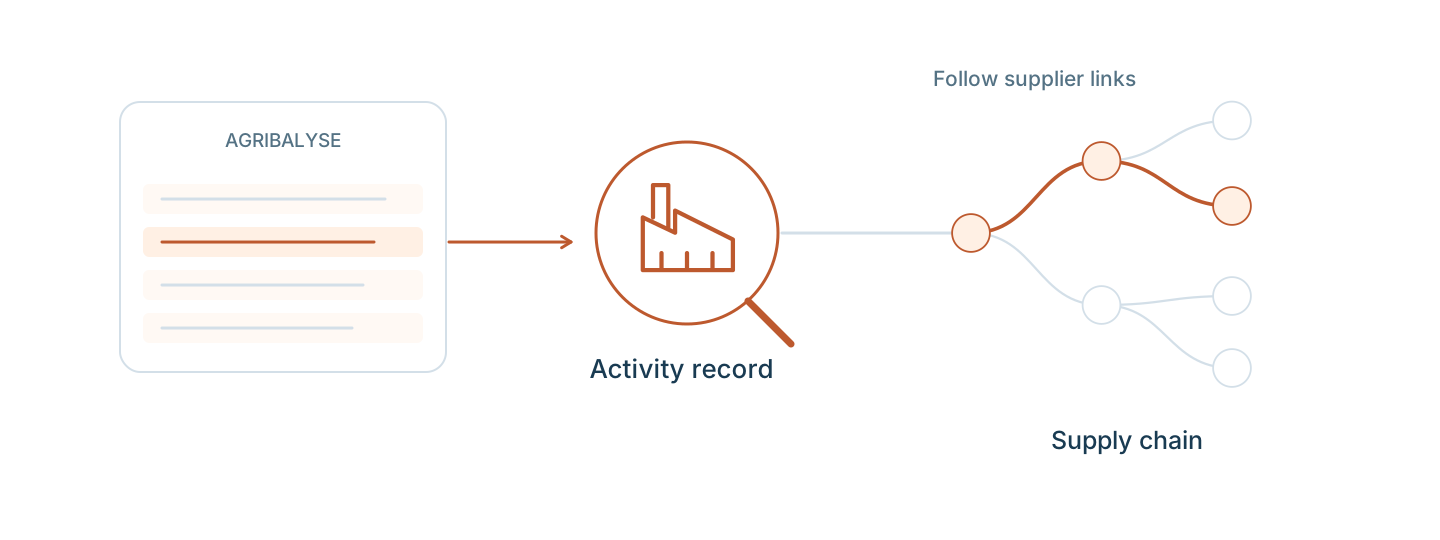
Inspection and impact checks should not feel heavier than the question itself
Sometimes the need is not an LLM answer at all. You just want to inspect Agribalyse, find the right activity, open the source record, follow the upstream/downstream context, and compute the impact result directly. VoLCA aims to make that path faster and more legible.
What this use case shows
- fast search and inspection in Agribalyse
- direct access to real activity records
- upstream, downstream, and inventory inspection without leaving the workflow
- quick impact computation from the same activity context
Good fit for
- analysts checking what is actually in the database
- people comparing similar activities quickly
- teams who want inspectability before automation
- users who need the web UI more than a chat interface
Why it matters
Before automation, analysis, or AI, people still need direct inspection. Faster search, navigation, and impact checks make the dataset itself easier to understand and reduce the overhead of answering concrete questions.
A natural inspection walkthrough
1. Start from an imperfect search
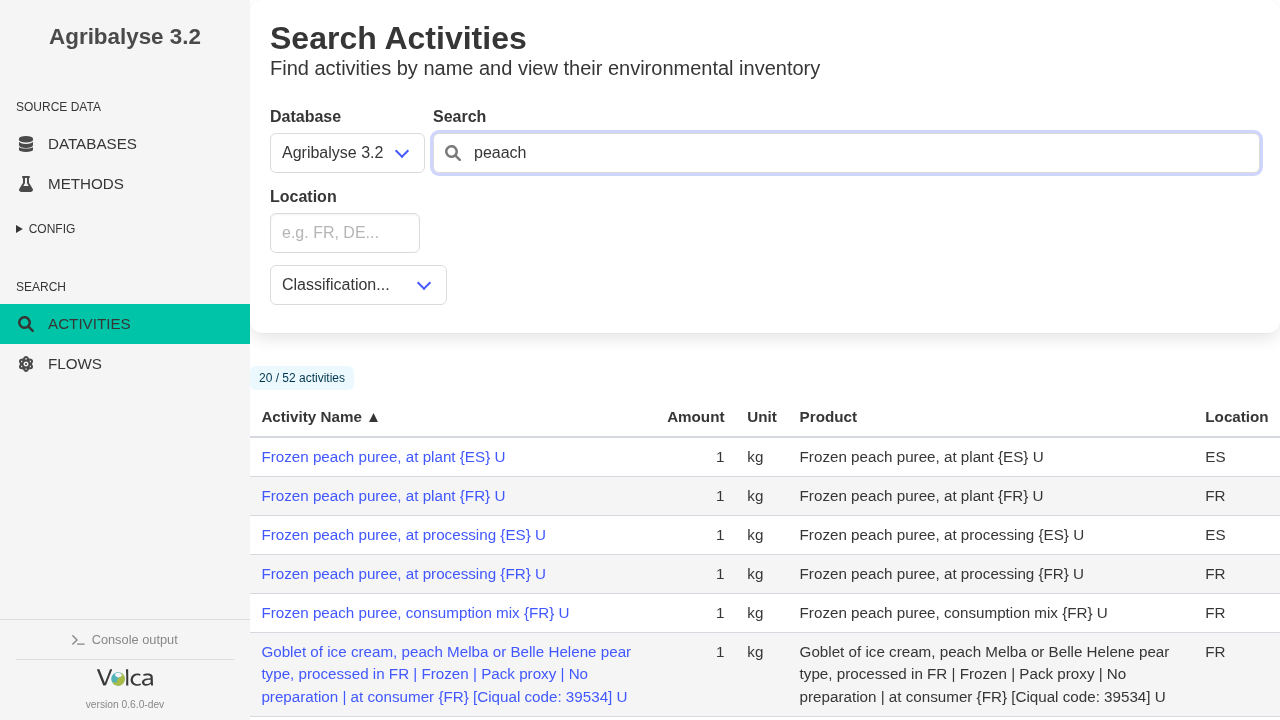
Type peaach and still find the right peach workflow
A natural browsing workflow starts with an ordinary search, not with a perfectly remembered process name.
Here the query is misspelled as peaach, but VoLCA still surfaces the relevant peach puree activities, including Frozen peach puree, at processing {ES}.
2. Inspect the selected process
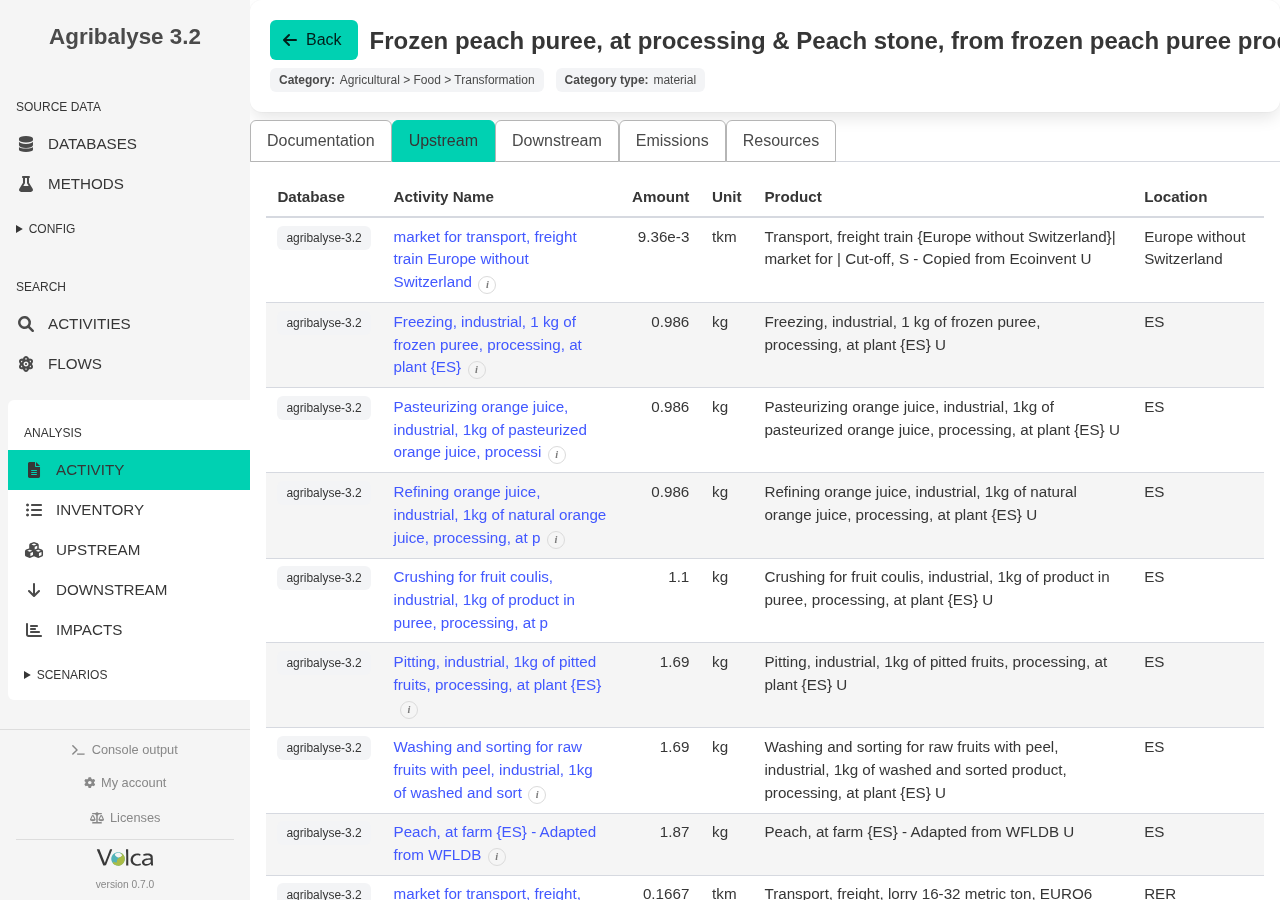
Open the direct upstream tab for frozen peach puree at processing {ES}
Once the right activity is selected, the most useful next view is often the activity's direct upstream tab, not the documentation page.
This shows the immediate upstream activities recorded on the database process itself. From the same direct view, you can also switch to the activity's direct emissions and resources before moving into broader supply-chain computation.
3. Switch to the full inventory
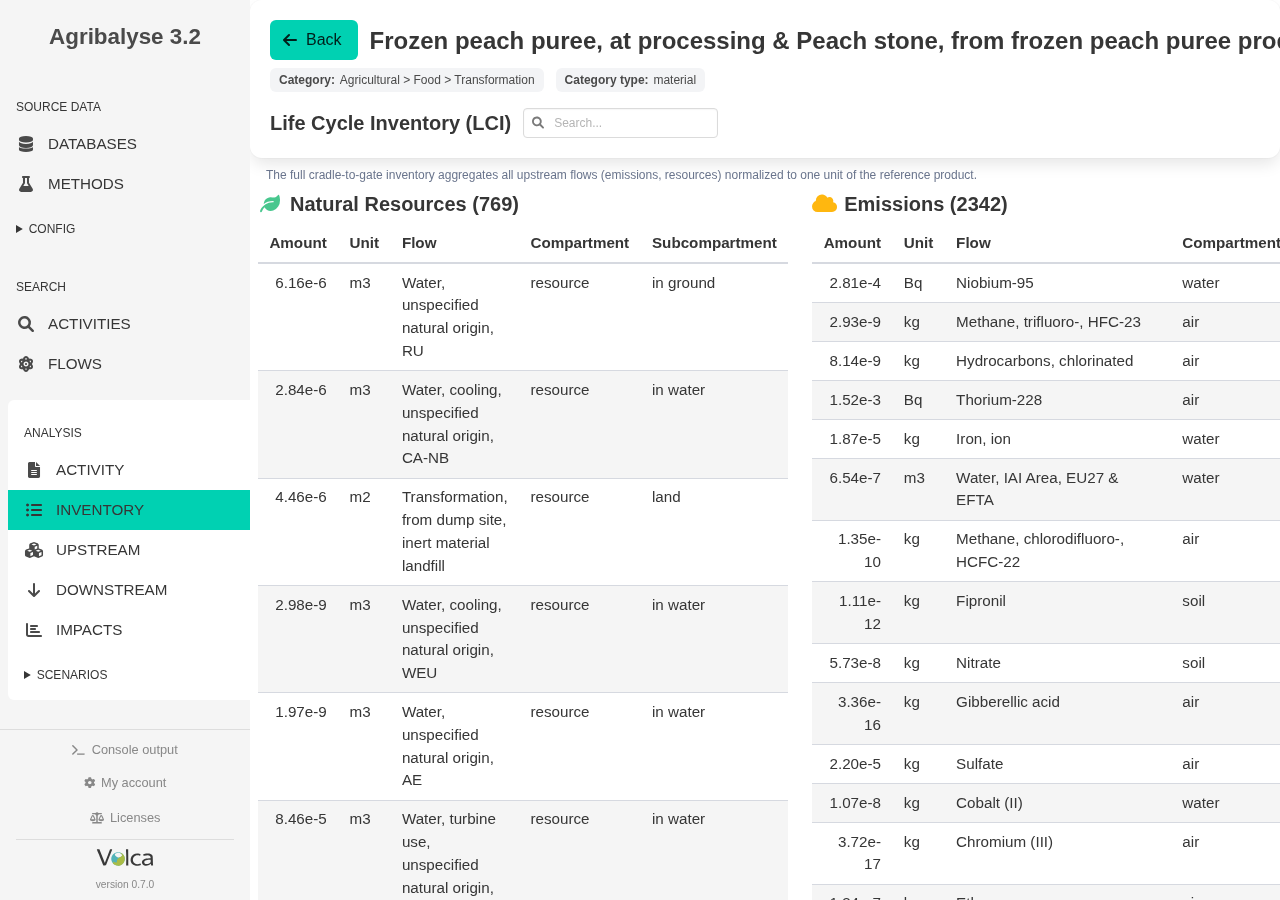
See all emissions and consumptions for 1 kg of frozen peach puree
The Inventory page is different from the direct activity view: it shows the full cradle-to-gate inventory needed to produce 1 kg of frozen peach puree.
Instead of only the direct record exchanges, you now see the complete life-cycle inventory behind the sector-wide production of that product.
4. Browse the upstream structure
Move from one product to the list of upstream activities
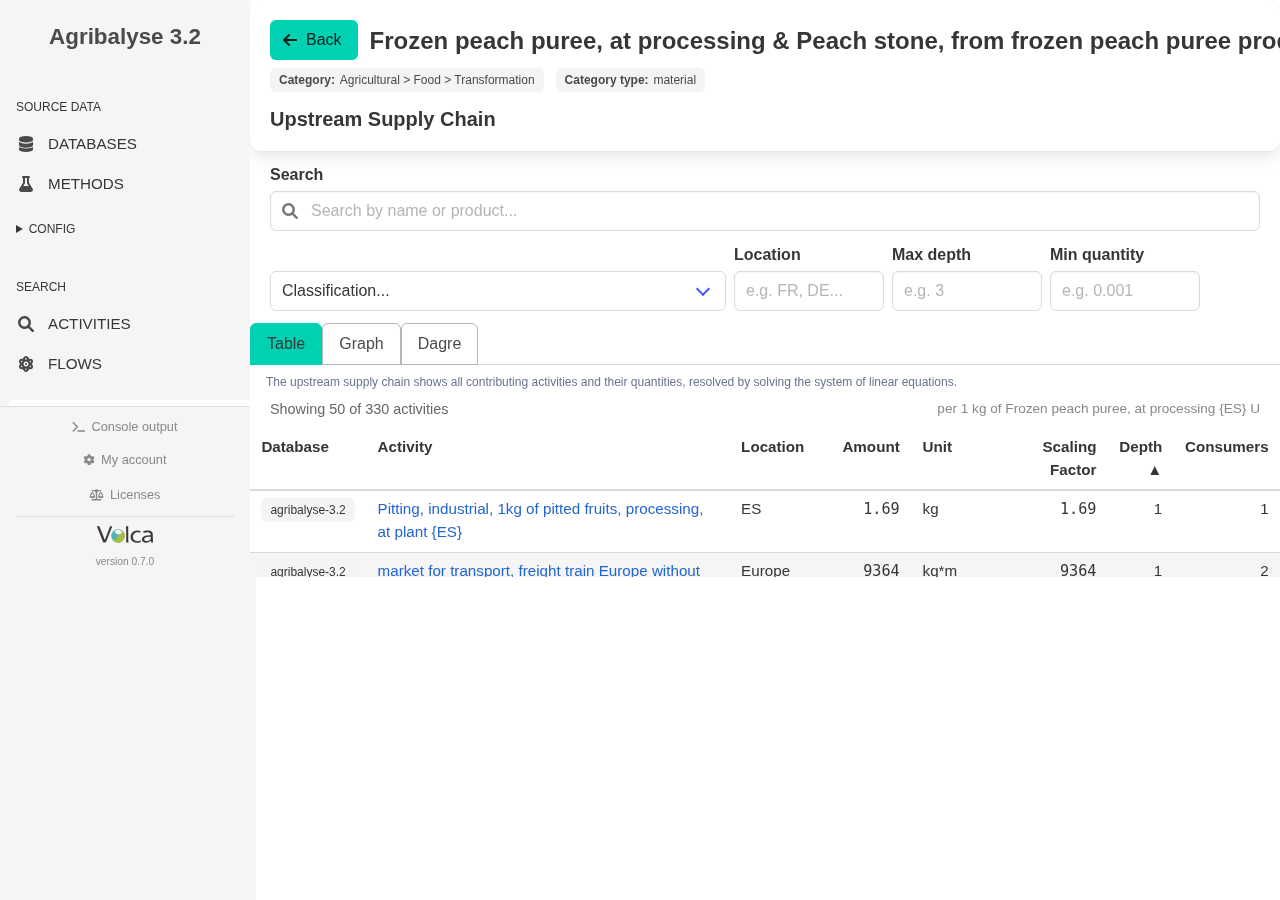
The Upstream page turns the supply chain into a browsable table.
You can filter by name, location, depth, or quantity cutoff, then inspect whichever part of the upstream structure matters for the question you are asking.
5. Investigate a concrete suspicion
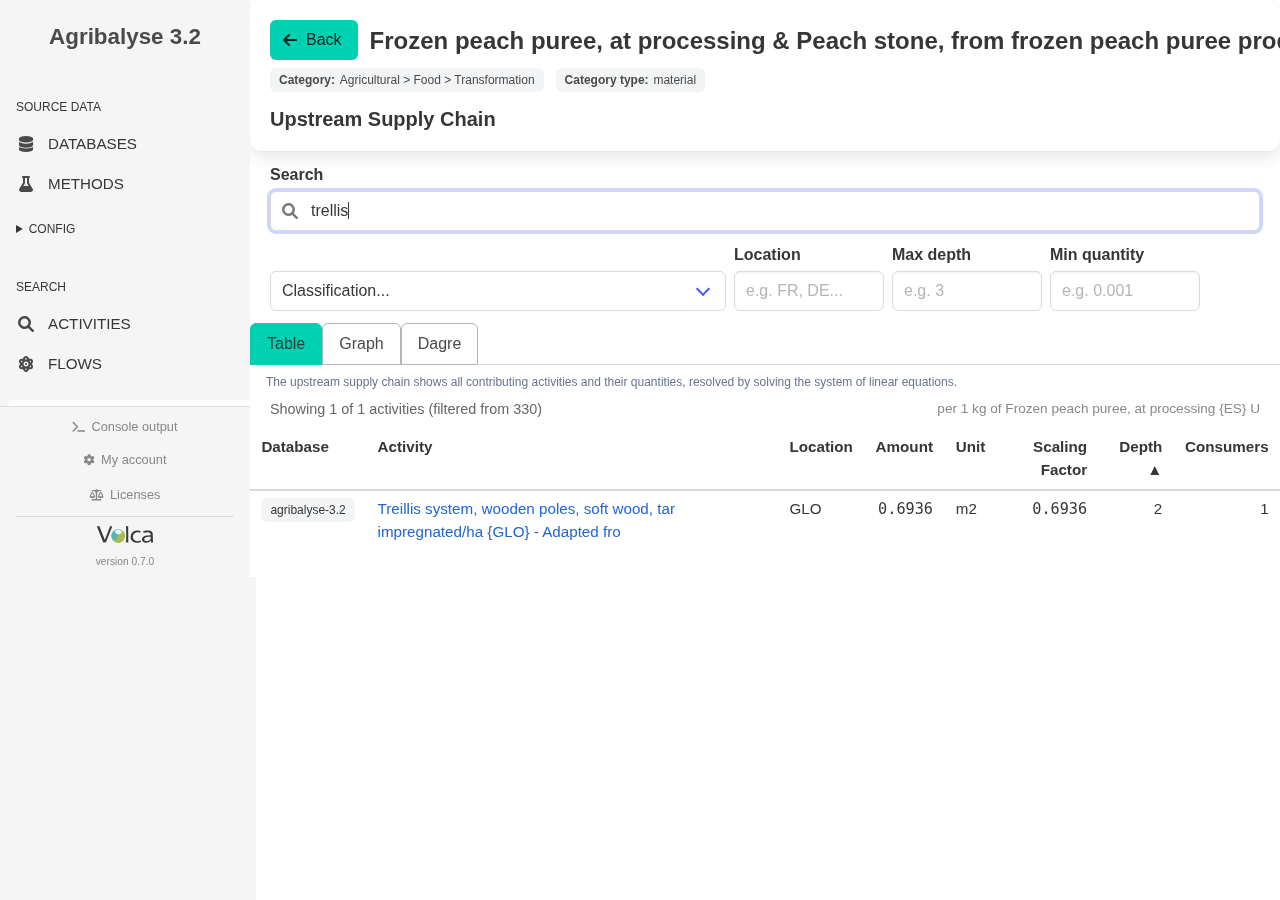
Search upstream for trellis and still find Treillis
Suppose you want to know whether tar-impregnated trellis systems were used in the orchard.
Searching trellis in the upstream name filter still finds the relevant Treillis system, wooden poles, soft wood, tar impregnated activity. Typo tolerance is useful here too, not only on the first search page.
6. Compute impacts
Get weighted impacts in a couple of seconds
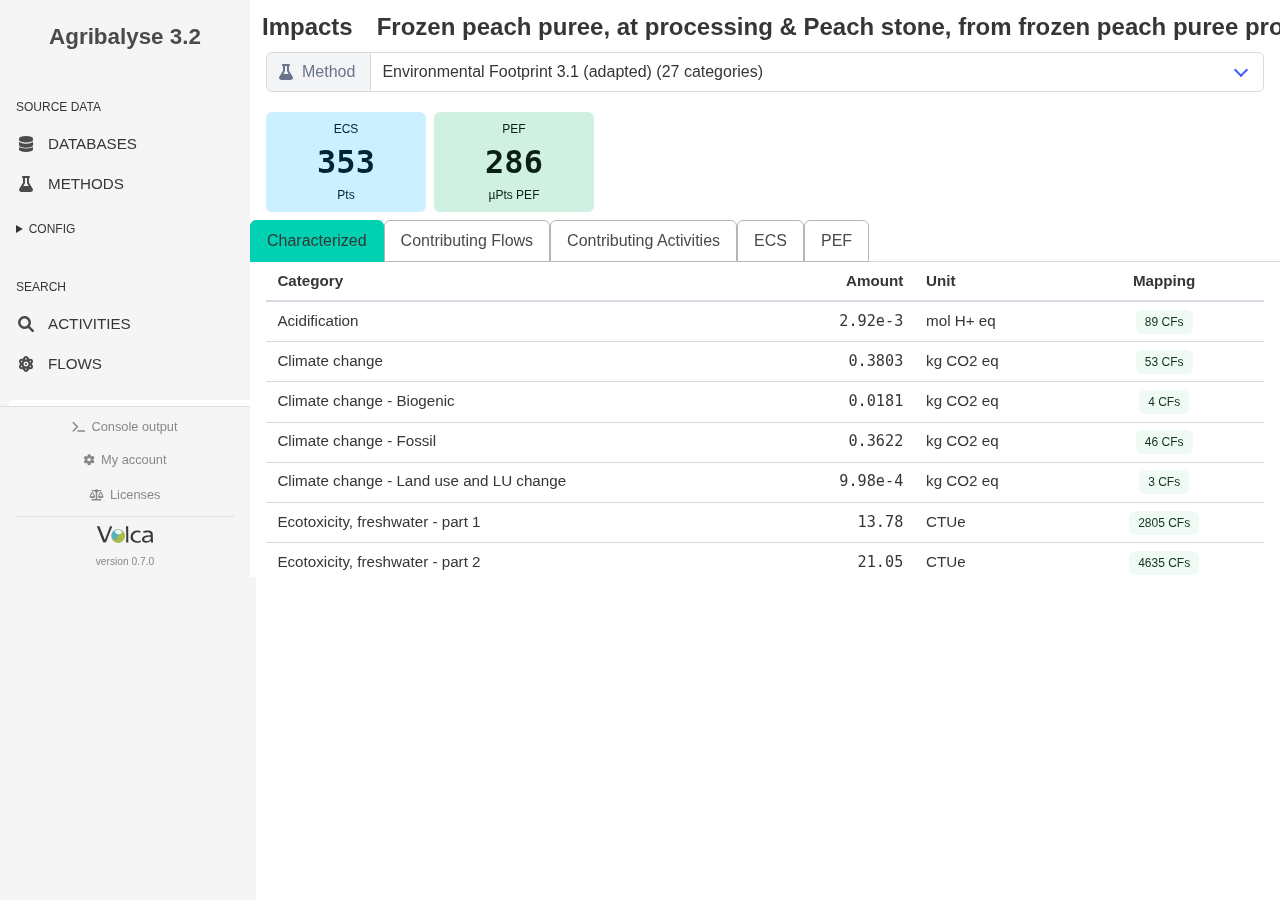
From the same product page, the Impacts view computes weighted impact results without leaving the browsing workflow.
For this frozen peach puree example, the weighted EF 3.1 result is about 286 µPt in VoLCA - the familiar PEF-style point view, even though that framing is being deprecated. For a French weighting perspective, the same product is about 353 Pt in Ecobalyse; that comparison still excludes the ecosystemic-services complements that Ecobalyse adds and VoLCA does not yet include.
7. Pivot from one input to its consumers
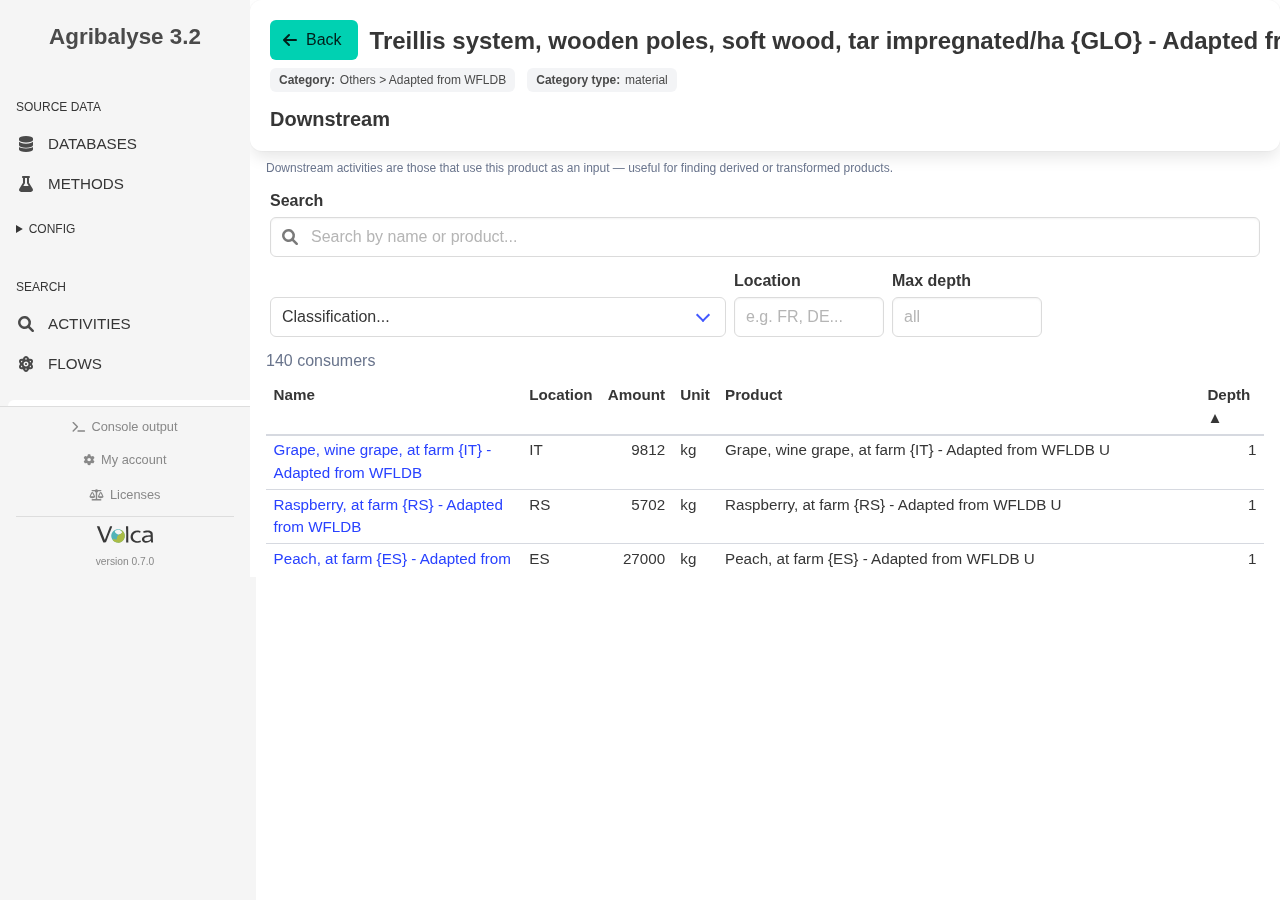
Open the trellis activity and inspect downstream uses
The workflow does not stop at finding one suspicious input.
Open the tar-impregnated trellis activity itself, switch to Downstream, and you can see which other activities use it - including peach and other fruit-related consumers.
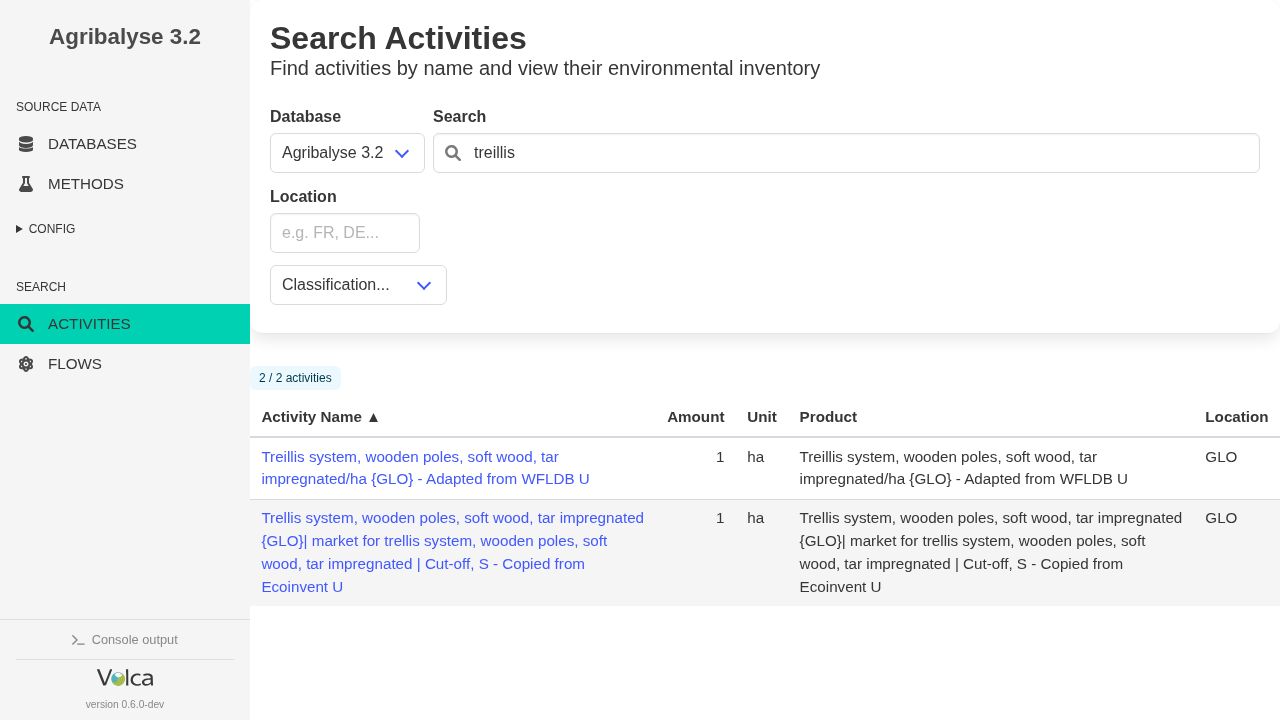
One more check · typo tolerance
Agribalyse search finds both spellings
In Agribalyse 3.2, searching for trellis and treillis returns the same two relevant activities. This is a small but concrete check: search is useful even when the user does not type the exact spelling found in the source dataset.
Current scope
This page focuses on Agribalyse browsing and inspection in the web UI, with concrete examples that show search, record access, and inventory visibility.
If you want the LLM-assisted workflow instead, see the separate instant-answers page for VoLCA MCP.
Runnable examples
Python scripts from the public examples project that exercise this workflow.
What-if analysis
Swap conventional for organic wheat across Agribalyse
Find farm-gate ingredients upstream of processed products and substitute them with alternatives - one guided product, or every affected product in the database.
See the runnable example →
Supply-chain slicing
Split a supply chain by classification path
Group a product’s supply chain by the classifications the database already carries and extract the animal-feed share to CSV - no ML, the categories come from the data.
See the runnable example →